Key Takeaway: You can reset Nintendo 3DS parental controls without the PIN in about 5 minutes. Trigger an inquiry number by entering the wrong PIN three times, then use Nintendo's official reset tool at parentalcontrols.nintendo.com for $0.50 to generate a master key.
A 3DS parental control reset is easier than it sounds, and I've done it more times than I can count.
I got a Nintendo 3DS in stock from a customer. While testing the console, I tried to format the system and got a message: Parental controls restrict the content
Since we buy used 3DS consoles from customers, my first instinct was to contact the customer to see if they remembered the PIN. Unfortunately, they didn't, but I've handled this before. I figured now would be a good time to write a how-to so I have it for next time, and maybe save someone else a headache in the process.
The Table of Contents
Locked out by parental controls on your Nintendo 3DS?
What you'll need:
- You have powered on your Nintendo 3DS console.
- You need a pen and paper to write down the 3DS inquiry number.
- Internet access (computer or phone)
- $0.50 for the official method, or use the free tool at your own risk.
Time needed: 5–10 minutes
Note: This is for parents who forgot their PIN or for resellers with valid stock for resale.
Choose a Reset Option
- Pay $0.50 and get a key from Nintendo.
- The Free Option, which is below.
How to Reset 3DS Parental Controls With Nintendo’s Official Master Key
Step 1: Nintendo's Official Reset Tool
- Visit Nintendo’s official Parental Controls Reset page.

- Follow the five on-screen steps, enter your inquiry number, and it will generate a master key.
- There’s a small service charge (around $0.50), but it’s quick and official.
Step 2: Trigger the Inquiry Number
- Enter a random PIN code three times. After three tries, the system prompts you to visit the Parental Controls page. Then, enter the password for your secret question. When it asks for your answer, tap “I Forgot.”
Now see an inquiry number on the screen. This is the number you will need to reset it.
- For example, my console displayed this 3ds inquiry number: 13441 97925.
- Be sure to write it down somewhere before moving forward.
Step 3: Enter the 3DS Parental Controls Master Key
Once you have the Master Key:
- Go back to Parental Controls on your 3DS.
- Select “I Forgot” again when it asks for your secret answer.
- Confirm the inquiry number.
- When prompted, enter your master key.
You should see a confirmation message: “Master Key Confirmed.” Press OK, then set a new PIN and secret question.
Step 4: Optional – How to Remove or Disable Parental Controls on Nintendo 3DS
If you want to delete Parental Controls without formatting:
System Settings > Parental Controls > Change > Enter PIN > Clear Settings
If you plan to completely erase and reformat the 3DS:
- Set a simple, generic PIN like 1111 and a random secret answer.
- Then go to System Settings > Other Settings > Format System Memory.
- Enter the PIN if prompted, then follow the instructions to format the console.
Do you know we buy used Nintendo 3DS Consoles?
The Free Reset Option
- Click Here for Master Key Generator
- IMPORTANT: This is an unofficial, third-party tool. It is NOT affiliated with or endorsed by Nintendo.

- Recommendation: We recommend using Nintendo's official tool (Option 1) for $0.50. It's more reliable, supports Nintendo's services, and ensures you're following official procedures.
Potential Risks:
-
- No guarantee of reliability.
- No official support from Nintendo.
- Entering device information on an external website.
- May violate Nintendo's Terms of Service.
- By proceeding, you agree that this is unofficial. Use it at your own risk. You accept full responsibility for any consequences. Also, ensure you use this tool for legitimate purposes on a device you own or have permission to reset.
Here is how to use the free method.
-
Step 1: Enter Device Type
- Select Nintendo 3DS as your device type.
-
Step 2: Find Your System Date
- Open your Nintendo 3DS system settings.
- Click Other Settings
- Click the Date & Time button.
- Press today's date – the console will display the registered date.
- Enter this date in the form (example: October 23, 2025).
-
Step 3: More Data
- Leave this field blank.
-
Step 4: Enter Inquiry Number
- Enter the inquiry number displayed on your system.
- Step 5: Generate Master Key
- Click Go, and your master key will appear at the top of the screen.
Final Thoughts
Before selling or trading in a Nintendo 3DS, note your PIN and secret answer somewhere. In today's world, wiping personal information from a console before it changes hands is a necessity.
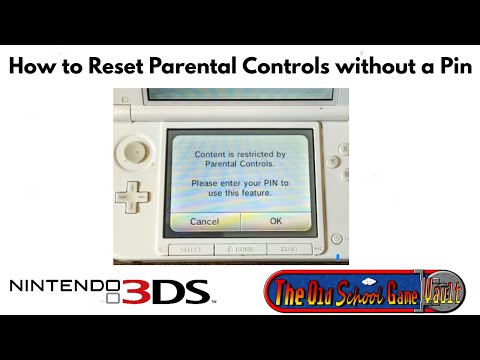
Here is a Video Demonstration of This Article:
Frequently Asked Questions
How do I reset Nintendo 3DS parental controls without the PIN?
Enter the wrong PIN three times. The system will prompt you to visit Nintendo's Parental Controls page. Write down the inquiry number shown on screen, then go to parentalcontrols.nintendo.com, enter the inquiry number, and pay $0.50 to generate a master key. Enter the master key on your 3DS to unlock it and set a new PIN.
What is a Nintendo 3DS master key?
A master key is a one-time code generated by Nintendo that overrides the parental controls PIN on your 3DS. It is tied to your specific inquiry number, which changes each day. You get the master key either through Nintendo's official tool at parentalcontrols.nintendo.com for $0.50 or through an unofficial third-party generator at your own risk.
How do I get the inquiry number on a Nintendo 3DS?
Enter the wrong PIN three times. After the third failed attempt, the system will show a prompt directing you to the Parental Controls reset page. An inquiry number will appear on screen — write it down before doing anything else. This number is what you need to generate a master key.
Is there a free way to reset Nintendo 3DS parental controls?
Yes, but it comes with risks. An unofficial third-party tool at mkey.nintendohomebrew.com can generate a master key using your inquiry number and system date without paying the $0.50 fee. It is not affiliated with Nintendo, offers no official support, and may violate Nintendo's Terms of Service. We recommend the official Nintendo tool for reliability and peace of mind.
How do I completely remove parental controls from a Nintendo 3DS?
Once you have unlocked the console with a master key, go to System Settings, then Parental Controls, then Change, enter your PIN, and select Clear Settings. This removes parental controls entirely. If you plan to reformat the console, set a simple PIN like 1111 first, then go to System Settings, Other Settings, Format System Memory, and enter the PIN when prompted.