Selling your games online is easier than you think. At The Old School Game Vault, we've been buying games for over 15 years. Here’s how you can use our website to sell your games or consoles in just four simple steps.
What Are the 4 Steps to Sell Video Games with The Old School Game Vault?
- Search: Type the game name and console abbreviation into our search bar for an instant cash quote. No barcodes or photos needed.
- Cart: Add your games, consoles, and accessories to your trade-in cart. Missing a controller or cable? Use the checkbox system to deduct missing items and your quote updates automatically.
- Ship: Check out, enter your address and payment method, and we email a free prepaid USPS or UPS label. Orders must be $100 or more for free shipping.
- Get Paid: We inspect every order within 3-4 business days and pay via PayPal, Zelle, check, or Amazon Gift Card.
The Old School Game Vault has been buying retro games and consoles nationwide since 2008 with a 4.99-star rating across 15+ years of verified transactions.
The Table of Contents
Step 1: Start By Searching our Database
Visit our Search page and type the game’s name into the search bar. We buy all major gaming systems. This includes games from Nintendo, Sony, Xbox, Sega, and other not-so-popular hardware like Neo Geo and TurboGrafx-16.
The key is to type in the console abbreviation along with the game name. For example, type "N64 Mario Kart" or "Nintendo 64 Mario Kart." If you just type "Mario Kart," you’ll see all the Mario Kart games we buy for different consoles. Using the right console abbreviation saves you time.
- Individual Games: Type the full title + system abbreviation (e.g., Final Fantasy VII, PS1).
- Large Collections: To add many titles at once, go to the category (like Sell NES Games). Then, use the "Show 50" dropdown to browse and add them.
- Consoles (The Bundle System): We buy consoles as bundles. For example, a PS2 Slim Bundle includes the console, cables, and an official controller.
- Missing a piece? Use our checkbox system on the product page to deduct missing items (e.g., no controller?). -$6.00. Your quote updates without any manual input.
Why "Exact" Keywords Matter
Our system matches games by exact title; not abbreviations, nicknames, or slang. If the cartridge says Cruis'n USA, searching "Cruisn USA" won't find it. The apostrophe matters. The spacing matters. Search the way the title is actually written, and you'll get results every time.
Common Mistakes That Return Zero Results
| Mistake Type | Correct Entry | Incorrect Entry |
|---|---|---|
| Abbreviations | Call of Duty | COD |
| Numbers vs. Roman Numerals | Grand Theft Auto IV | GTA 4 or GTA IV |
| Punctuation Errors | Cruis'n USA | Cruisn |
| Ampersands | Ratchet & Clank | Ratchet and Clank |
The Official Keyword Abbreviation List
| PlayStation Systems | Nintendo Systems | Sega Systems |
|---|---|---|
| PS1 – PlayStation | NES – Nintendo Entertainment System | Genesis – Sega Genesis |
| PS2 – PlayStation 2 | SNES – Super Nintendo | Dreamcast – Sega Dreamcast |
| PS3 – PlayStation 3 | N64 – Nintendo 64 | Saturn – Sega Saturn |
| PS4 – PlayStation 4 | GameCube – Nintendo GameCube | Type full console name |
| PS5 – PlayStation 5 | GBA – Game Boy Advance | Exception: Use 32x for Sega 32X titles |
| Vita – PlayStation Vita | DS – Nintendo DS | |
| PSP – PlayStation Portable | 3DS – Nintendo 3DS | |
| Game Boy – Game Boy / Game Boy Color (Type “Game Boy” as one phrase) |
If You Still Can't Find Your Game
- Double-check spelling and punctuation. Did you use IV or 4?
- Verify the console abbreviation. Is it GBA or Game Boy Advance?
- Look for special editions or alternate naming formats.
If it's still not showing up, get in touch with us. Our support team gets back to you within 24 hours.
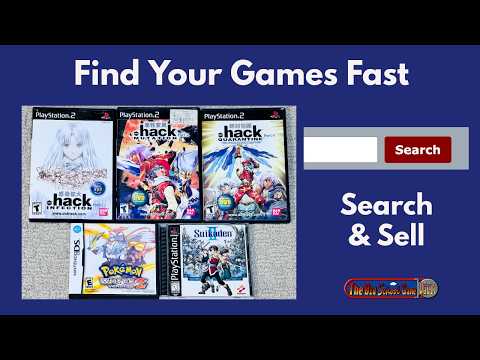
Here's a video on how to Use the Search Feature:
 ▶
▶
Step 2: Adding Items to Your Trade-In Cart
Continuing with our example, after searching for "N64 Mario Kart," the game will show up in the results. You’ll see a “Sell it Now” button next to the game, along with the price we’re currently offering. Repeat this process to add all your games to the trade-in cart.
A few pointers:
- Organize your games in alphabetical order, as we have every game from each gaming system library listed that way, or you can continue with the search feature we described.
- A little trick is that if you're selling several Mario games from the Nintendo 64, you could just type [N64 Mario] in the search results to grab all the various Mario titles listed for that console. Similarly, you could do the same for [3DS Fire Emblem].
- For Consoles, you can approach this the exact same way to pull up N64 consoles and accessories. We also have a separate console page for each and every game library. The only difference when selling consoles is that we generally buy the consoles in bundles.
Consoles We Currently Accept (and Why We Skip Others)
Some consoles have universal flaws that make them hard, if not impossible, to resell. We no longer buy the following due to high hardware failure rates:
- Sega Game Gear: Almost all original units now have faulty internal capacitors that need "recapping."
- Original Game Boy: High rates of "dead pixels" and screen lines that are difficult to repair.
- Atari 5200: Known for its unreliable hardware and controller designs, which have significant flaws.
Consoles with Known Issues & Purchase Restrictions
| Console | Common Issue(s) | Notes / Reason | Status |
|---|---|---|---|
| Atari Jaguar | Power-on/off issues | Case-by-case | |
| Atari Jaguar CD | Disc failure in 95% of units | Extremely high failure rate | Case-by-case |
| TurboGrafx CD | Chronic disc drive failure | Known reliability issues | Case-by-case |
| Atari Lynx | LCD screen often very wonky | Screen quality varies widely | Case-by-case |
| TurboExpress | Audio/display capacitor issues | Even if broken | Case-by-case |
| TurboGrafx-16 | RF box failure | Usually works via AV cables | Case-by-case |
| TurboDuo | Disc drive / audio failure | Still considered even if broken | Case-by-case |
| Atari 5200 | Unreliable controller design | Major design flaw | Do Not Buy |
| Original Game Boy | Dead pixels, LCD failures | Aging screen technology | Do Not Buy |
| Sega Game Gear | Near-universal capacitor failure | Recapping required | Do Not Buy |
| Atari 7800 | RF output issues | Static or faded video | Do Not Buy |
| ColecoVision | Cartridge reader failure | Pin connector problems | Do Not Buy |
For home consoles (NES, PS2, etc.):
A complete bundle includes the console, power supply, AV cables, and one controller.
- Missing a piece? Don’t worry. On the specific selling page for your console, you’ll see a list of required items with radio buttons.
- Uncheck the items you’re missing, and our system will update your cash quote without any manual input.
For handheld consoles (Game Boy, DS, etc.):
We use a similar formula for portable systems. We also check the screen condition and confirm whether the battery door is included.
- Battery Doors: If your handheld is missing its battery door, you can deduct that from your quote using the radio buttons on the selling page.
- Screen Condition: We’ll ask you to make your best guess about the screen's condition (e.g., are there heavy scratches, or is it pristine?).
How We Test Video Game Consoles:
The 30-Minute Rule. At the Old School Game Vault, we run every console for 30 minutes. Many vintage systems seem fine for the first five minutes but shut down once they reach operating temperature.
- Disc Drives: Check for "grinding" sounds on the PS2 or Dreamcast. If it struggles to load, a DVD lens cleaner often helps.
- Port Health: Clean the controller ports on your N64 or GameCube. Use 90% rubbing alcohol on a Q-tip or old toothbrush. Don’t pour the alcohol directly into the ports.
-
Deep Dive: For a more detailed walkthrough, see our full article on how to clean battery corrosion from your favorite devices.
Step 3: Shipping Your Order
- Now that you’ve finished adding all the games and consoles to the trade-in cart. You need to review what you have placed in the shopping cart, double-check the quantities you’ve selected, and scan over all the names.
- Then click “check out,” which will take you to the final page. Just enter your name, address, and preferred payment method. We need your address so we can send you a free shipping label. Check our payment policies for details on the payment methods we offer.
- After you submit your order, you’ll get an email with a copy of your order. Instructions and your free shipping label will follow soon.
We send confirmation emails in batches every few days, so you’ll hear from us shortly.
- Free Shipping: Orders of $100 or more get a free USPS or UPS ground label.
- Drop-offs: Located near Chicago? Schedule an appointment to drop off your collection in person.
- The Golden Rule: Use bubble wrap and a sturdy box. Cracked consoles from poor packing are the number one cause of value deductions.
How to Ship Video Game Consoles Safely:
Every year, we see hundreds of consoles arrive cracked due to poor packing. Never use air pillows, paper, bags, or towels for packing; these don’t provide a real cushion for heavy consoles. Instead, use packing peanuts, foam, or thick bubble wrap to protect your hardware. Review our shipping policy for further instructions.
- Data Security: Please factory reset your PS4, Xbox One, or Switch before shipping to remove personal information.
- The Pro Method: Wrap the console in 2 inches of bubble wrap and use a sturdy box with at least 3 inches of "crush space" on all sides.
Shipping your items correctly is important. Here’s a clear explanation of the process.
Step 4: Package Arrival & Payment
Once your package arrives, we send a "Package Received" email. Within 3 to 4 days (excluding weekends/holidays), our team:
- Inspects for condition and completeness compared to what you submitted.
- We then test everything for functionality. If something doesn’t work or if an item is in poor condition, we’ll let you know before we issue your payment and give you the opportunity to have anything we don’t buy returned to you.
- We issue payment via the method you selected.